
Use the elssle assistant in WordPress
Use the elssle assistant to ask how the plugin works, look up your remaining allowance or run supported WordPress tasks from a written instruction. Explain the result you want and identify the content the task should use.
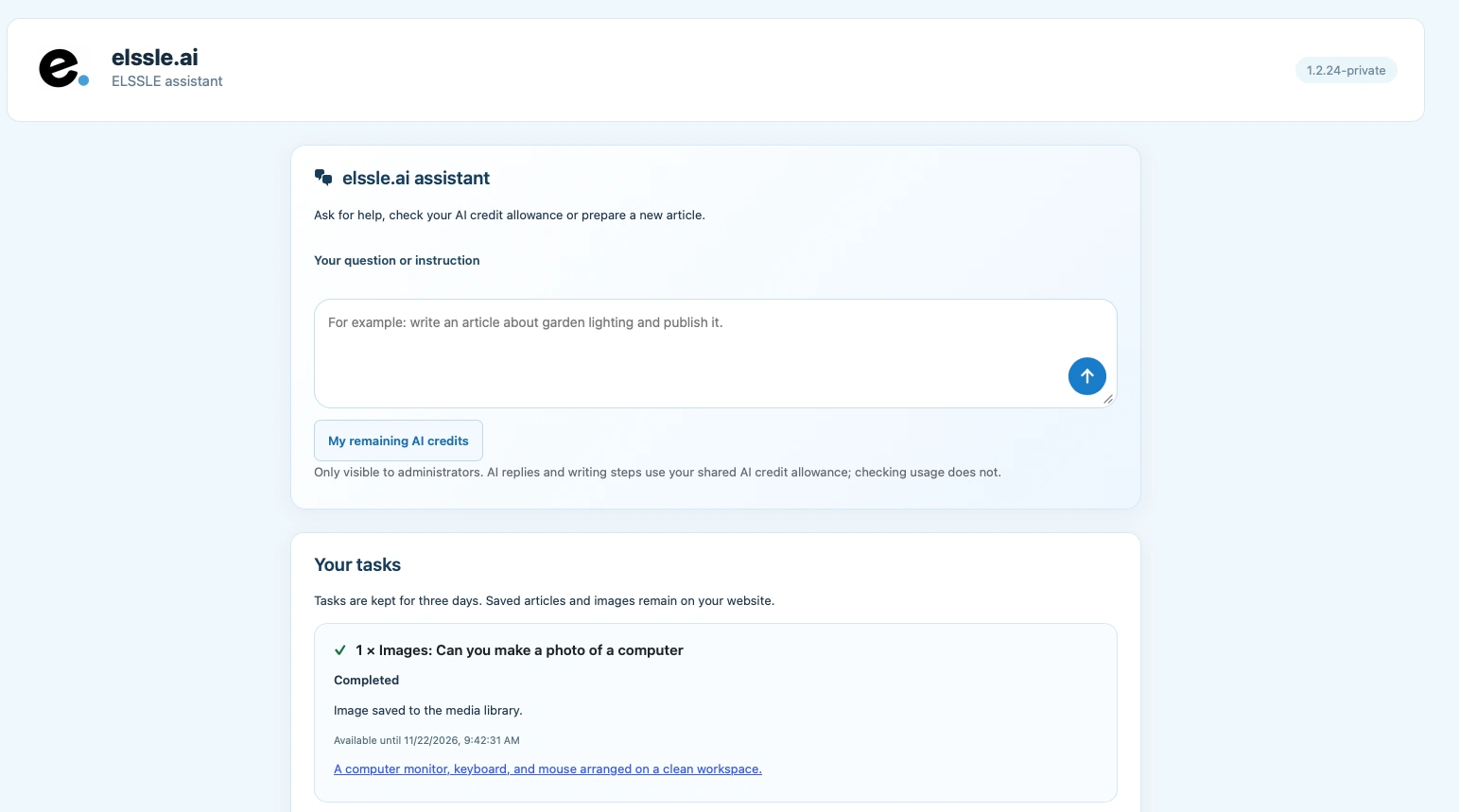
Write and send your instruction to the elssle assistant in WordPress
Your question or instruction for the elssle assistant in WordPress
Enter a specific request in the input. For example, ask for a draft about selecting a Gutenberg theme, or paste a page URL and ask for SEO improvements. Include the desired language and whether you want a draft or publication.
Send
Submits your question. For actions that require more detail, answer the follow-up with the missing topic, URL or publishing instruction.
My remaining actions
Shows your remaining allowance. A request that writes, checks and creates an image can involve multiple AI actions.
Follow the task and review the result
Your tasks
Watch the job status here. A task can run in the background while you work on something else. Return to this list to see its progress.
Completed result
Open the resulting WordPress post or page. Check the title, claims, links, image and publishing status against what you requested.
When the target is unclear
Paste the exact URL from your website. Give one clear target per task, especially when several pages have similar names.
Manage your content more efficiently by integrating the elssle assistant in WordPress into your daily workflow. Instead of manual editing, you can simply describe the outcome you need and specify which page or post the tool should target. This allows you to generate first drafts for your Gutenberg themes or optimize existing SEO directly through written prompts. By providing a specific URL and clear language preferences, you ensure the output matches your site's tone and goals without leaving your dashboard.
Keep a close eye on your resource usage and task progress through the dedicated interface of the elssle assistant in WordPress. The system tracks your remaining AI action allowance, which is important since complex requests involving image creation and writing can consume multiple credits. Because tasks often run in the background, you can continue working on other site updates while the tool processes your request. Once a job is marked as complete, you can quickly review and verify the resulting post or page.