
Schema with elssle SEO
Use elssle SEO to review the WordPress structured data your site provides about its business and content. These details should match the information visitors can verify on your website.
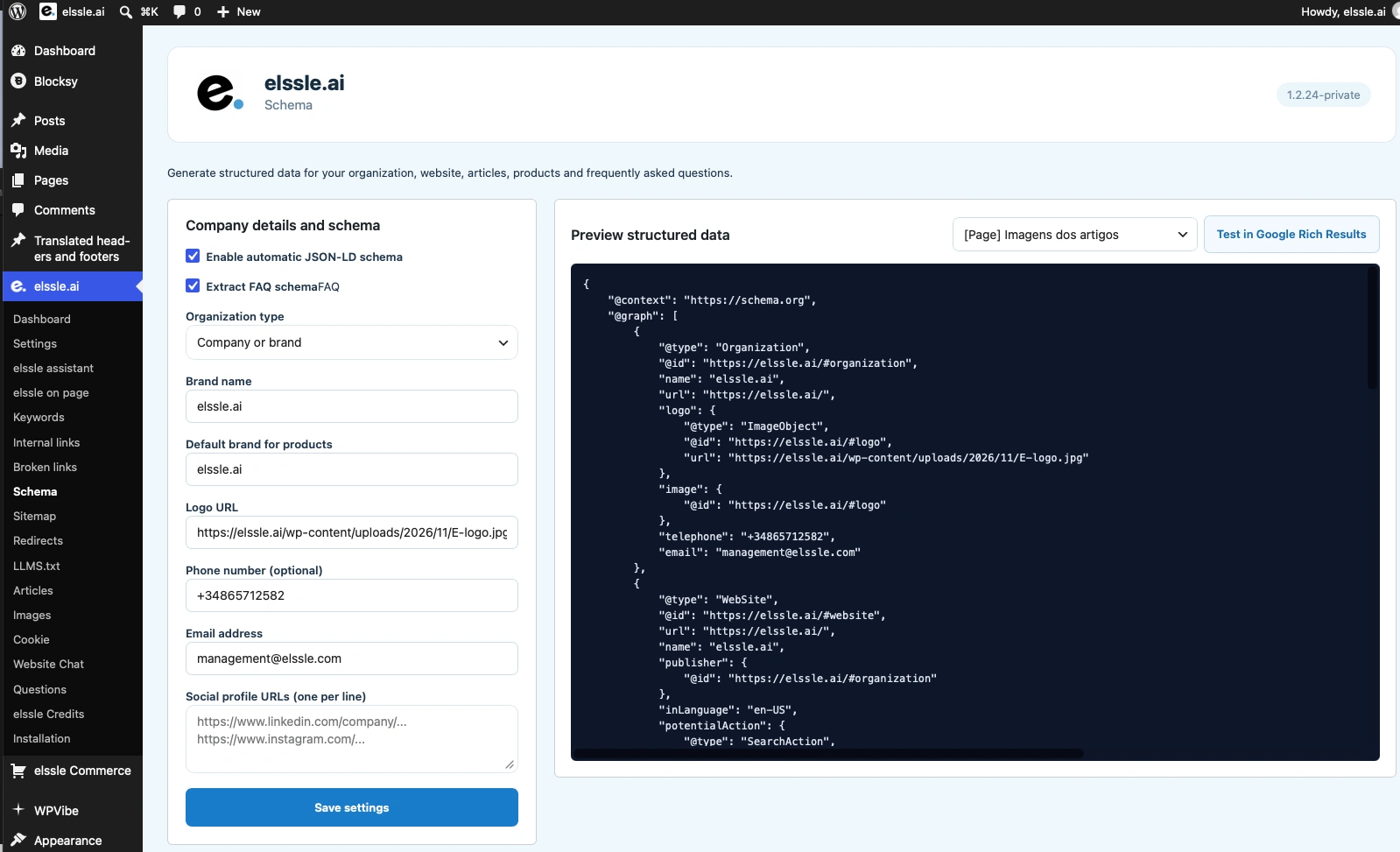
Configure your WordPress structured data
WordPress structured data for Organization and Website
Confirm the public business or brand name, authoritative URL and logo where those details are relevant. Use the same identity visitors see on the About or Contact pages.
Articles, products and FAQs
Check that the type matches the actual page. Article details should match the author and title, product data should describe the listed product and questions should reflect visible FAQ content.
Enable automatic JSON-LD schema / Extract FAQ schema
Enable automatic structured data if elssle should provide it. Enable FAQ extraction when published pages visibly contain corresponding questions and answers.
Organization type
Choose the option that matches the business, such as Company or brand, Online store, Physical store or Local business. Select a type that accurately describes the organization.
Brand name, Default brand for products and Logo URL
Use the public brand name. Choose a default product brand only where it applies and enter the URL of the public logo.
Phone number, Email address and Social profile URLs
Enter the public business contact details. Supply one official social profile URL per line and leave optional details empty when they do not apply.
Save and validate
Schema settings and individual markup
Review site-wide choices before changing a specific page. If a page has custom markup, check that its values still match the visible text after content edits.
Validation
Save, inspect the rendered page and test its markup with a schema validation tool. If another plugin generates the same entity, decide which one should own it before adding duplicate information.
Preview structured data
Use the preview to inspect the fields and entities generated by the plugin. Check the public page as well, because per-page content determines what visitors and search engines can actually verify.
Search appearance
Use valid structured data to describe content clearly. Search engines decide whether to display an enhanced result.