
Category SEO text with elssle SEO
Create a WooCommerce product category description with elssle SEO using relevant products and source material. Review the proposed text and publish it through the category editor.
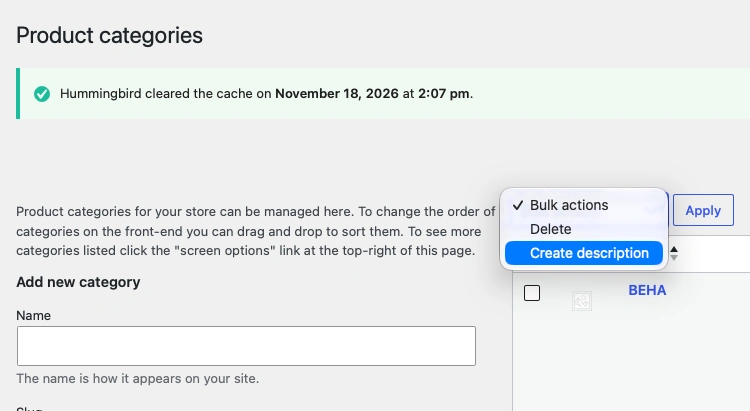
Generate your WooCommerce category description with AI
WooCommerce category description with AI: Category list and Create description
Open the WooCommerce product category and use the Create description tool for the category you want to improve. Confirm you have the correct category when there are several similar groups.
Focus keyword / Source information
Use the phrase that describes the full category, not just one product. Enter verified characteristics, buyer questions and product distinctions. The generation can use up to five relevant products as sources.
Generate, review and publish
Generate category text / Continue generation
Start a proposal and use Continue if the interface asks you to finish the generation. Review the resulting explanation, headings and claims before changing the existing category description.
Replace now / Update
Use Replace now when the proposed text is ready to replace the existing description. Use Update in WordPress to publish the category changes.
Category text shortcode
If you want to display the current category text elsewhere, use the shortcode shown for that category. Verify the result on the public page.
Improve your store's visibility by using a WooCommerce category description with AI to create clear and relevant content. Instead of writing every page from scratch, you can leverage specific product characteristics and common buyer questions to build a strong foundation. By selecting up to five relevant products as source material, you ensure the generated text stays grounded in your actual inventory. This approach helps you maintain consistency across your product groups while saving time during the content creation process.
Refining your WooCommerce category description with AI involves a simple workflow of generating, reviewing, and publishing. Once the tool proposes a draft, you can check the headings and claims to make sure they align with your brand voice. After you are satisfied with the result, use the replace and update functions to push the changes live in WordPress. For extra flexibility, you can use the provided shortcode to display your category text in other areas of your site to improve the user experience.