
Single Article with elssle Publisher
Prepare one article from a working title, focus keyword and trusted reference material. Set the destination first so your language, category, image and publication choices match the right WordPress website.
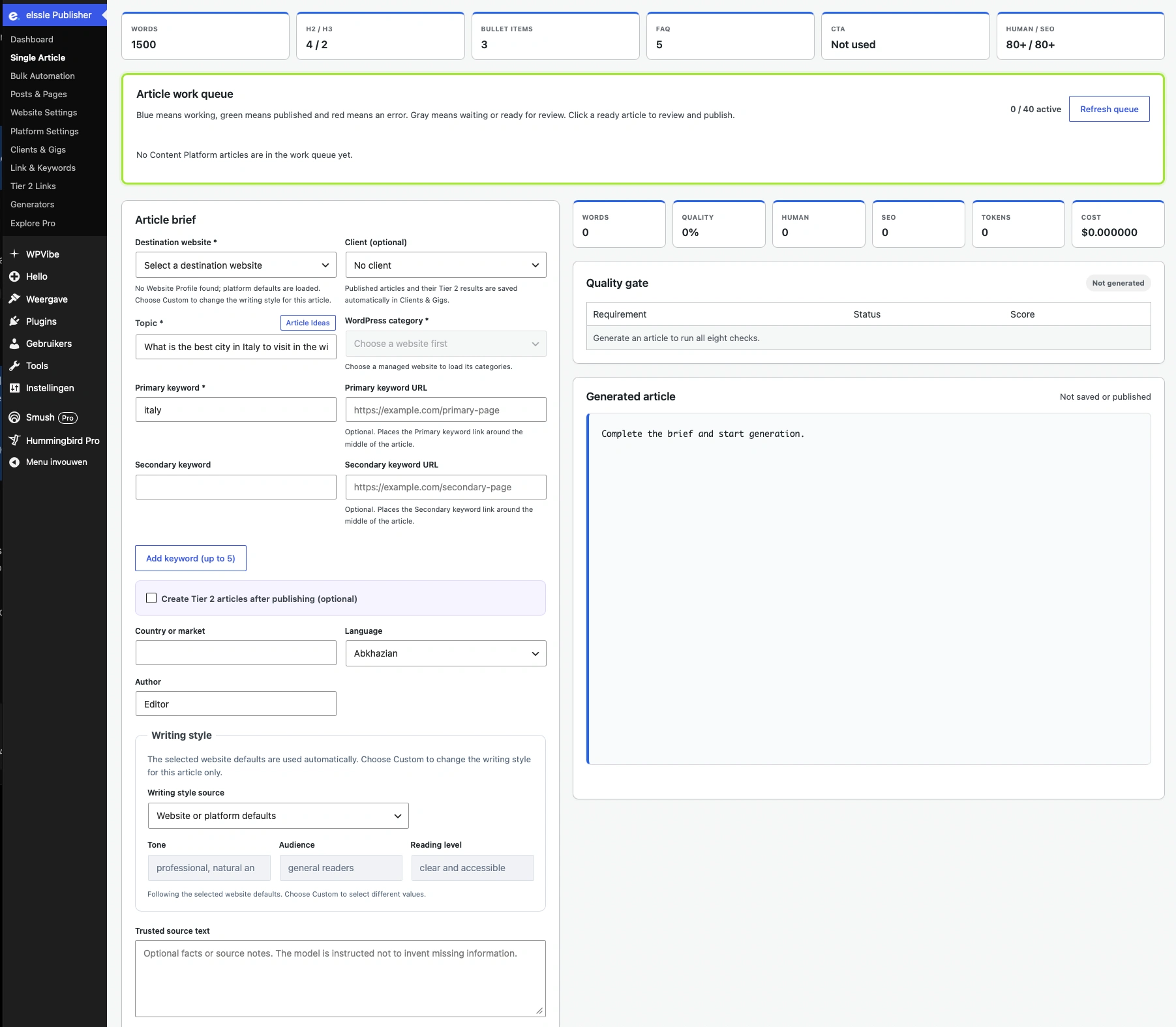
How to create a single WordPress article
create a single WordPress article: Working title, focus keyword and sources
Enter the article topic and the specific search phrase it should answer. Add source URLs or notes when the subject depends on product details, dates or other facts.
Target website, category and language
Choose the site and category for this article. Check the language, tone and image preference against the audience rather than relying on defaults from another project.
Generate, revise and publish
Generate
Send the brief to the configured provider and open the draft when it is ready. Compare the headline, opening and supporting sections with your intended article.
Article editor and image
Edit the text before publishing. Inspect any image, add appropriate alt text and confirm whether it belongs in the body or as the featured image.
Publishing method
Choose draft, immediate publication or scheduling where available. Check the destination and time settings, then open the resulting post or preview.
Manage your content flow by setting up a clear brief before you create a single WordPress article. Start by defining your working title and focus keyword to ensure the output hits the right search intent. You can include specific source URLs or detailed notes to keep the facts accurate, especially when dealing with dates or product specifications. Selecting the correct destination website and category first ensures that your language and image preferences align perfectly with your target audience.
Once your draft is generated, use the built-in editor to refine the headline and body text for maximum impact. You can easily adjust the featured image and add descriptive alt text to improve accessibility and SEO. After your final review, decide whether to publish the post immediately, save it as a draft, or schedule it for a future date. This structured workflow makes it simple to create a single WordPress article that is polished and ready for your readers.