
Redirects with elssle SEO
Use elssle SEO to manage WordPress URL redirects after changing a site address and to review text replacements across affected content. Keep the old and new destinations clear before saving.
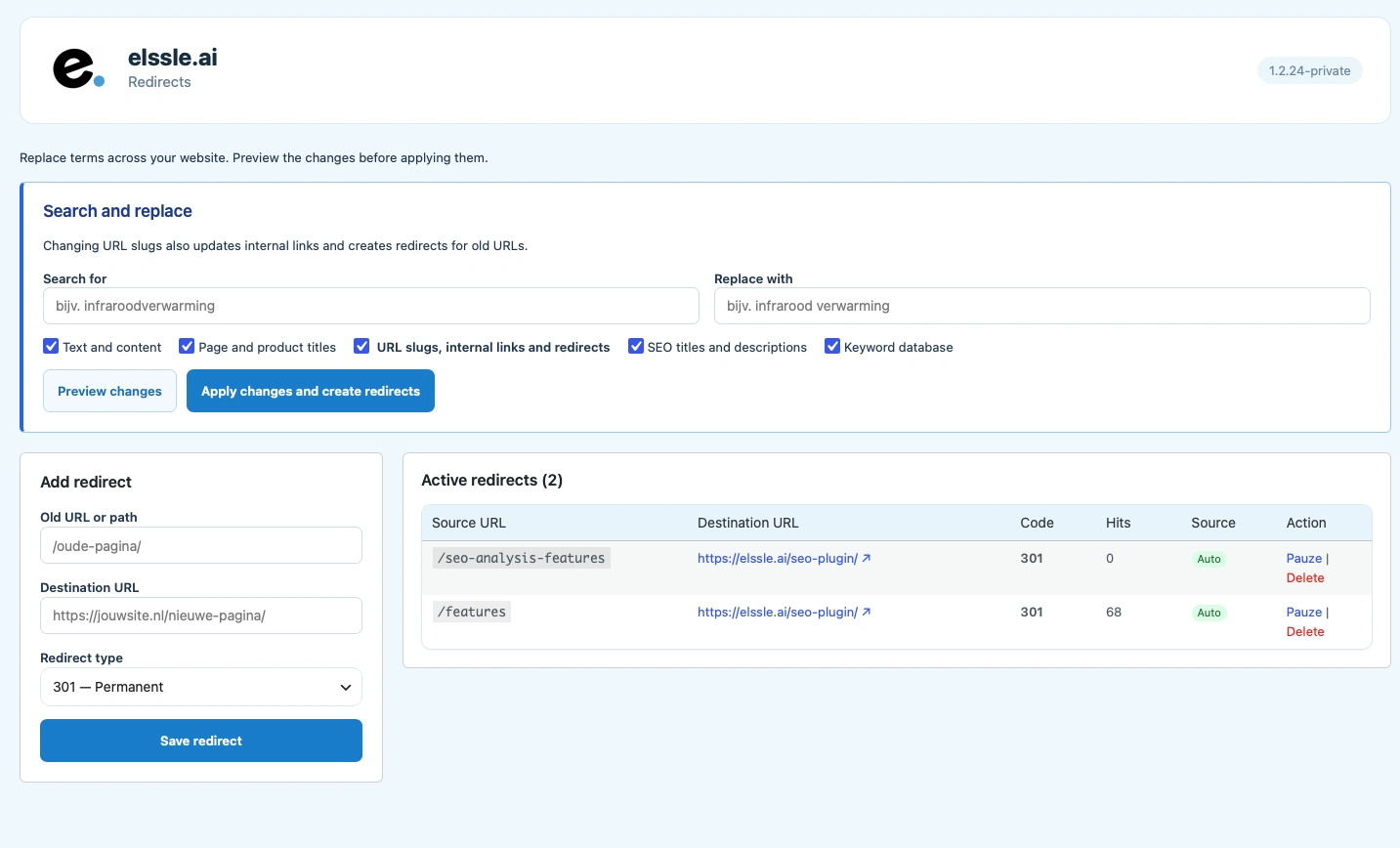
Manage your WordPress URL redirects
Manage your WordPress URL redirects by entering the old address / new destination
Enter the URL visitors used to reach and the new equivalent. For example, send a retired guide to its replacement and test the old address after saving.
Add or update a rule
Check that the destination exists, does not redirect back to the old address and matches the visitor’s intent. Update internal links so readers can use the new address directly.
Redirect type and Save redirect
Choose 301 when the address has permanently moved and 302 when the move is temporary. Use Save redirect, follow the original URL and confirm the status and destination.
Active redirects
Review Source URL, Destination URL, type and the displayed source of the rule. Disable or delete a rule only when you have verified the old address no longer needs it.
Review text replacement separately
Find / Replace
Enter the exact old wording and the new wording. Preview the affected items when the screen offers a preview and check the context before applying a site-wide change.
Text and content / Page and product titles / URL slugs
Select only the areas you want to change. The URL-slug scope also updates internal links and creates redirects. Select SEO titles and descriptions or Keyword database separately if those values should change.
Preview changes / Apply changes and create redirects
Preview first and inspect matching pages, products and categories. Apply once the scopes and matches are correct, then review the counts for updated keywords, created redirects and updated internal links.
URL moves and existing rules
If you change a slug, verify the generated redirect where available. A plain text replacement only changes matching content. Review important pages and the redirect list afterwards.