
Turn your ideas into WordPress articles with elssle Publisher
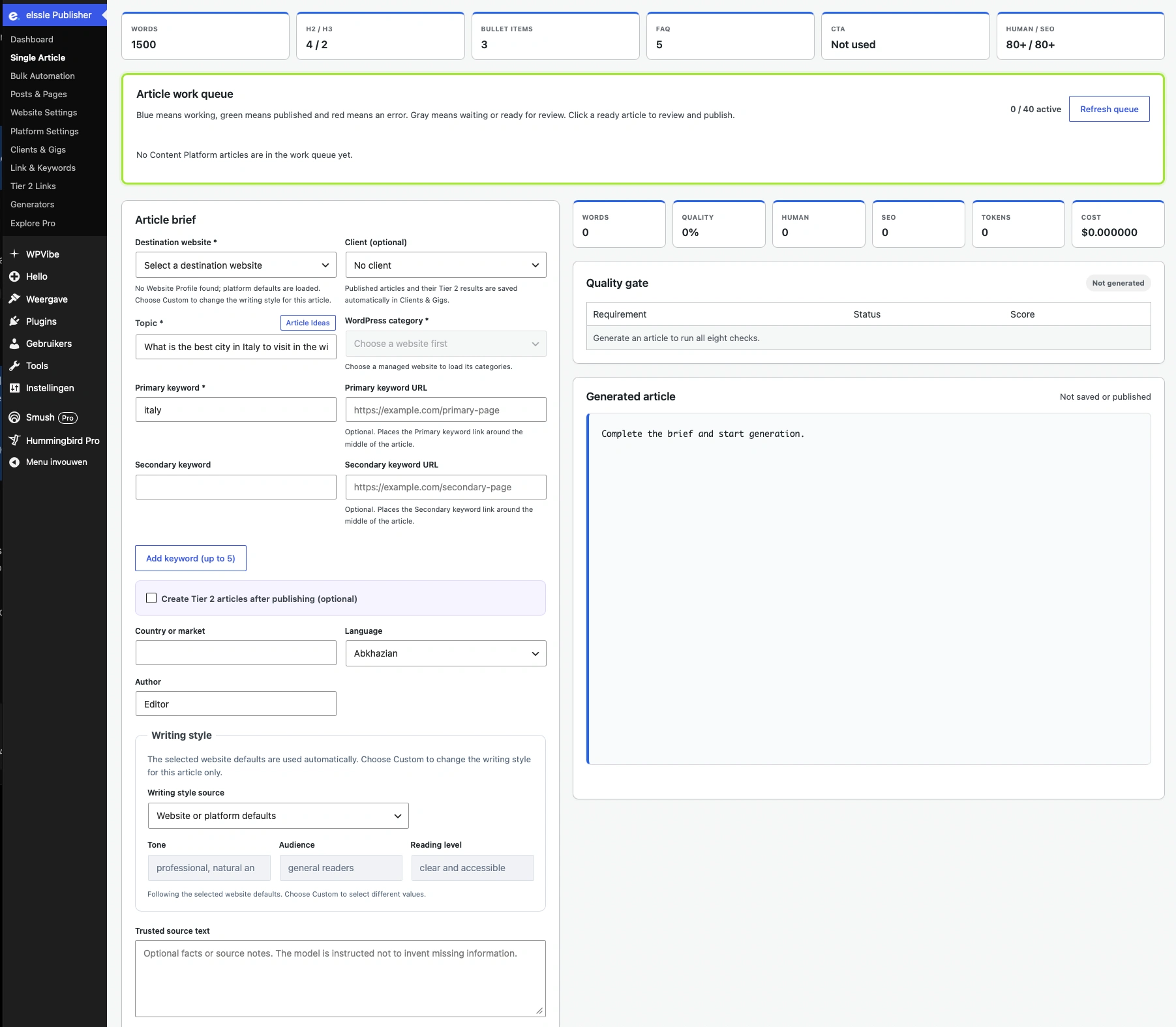
Prepare a piece from trusted sources or plan a series across connected websites. Choose your language, keywords and destination before you generate WordPress articles. Review the draft yourself, schedule it for later or send it straight to publication.
€29 per year per licensed website. Connect your own API provider. Your provider bills generation separately.
Plan WordPress articles with ChatGPT
Connect your WordPress site to OpenAI’s ChatGPT with WPVibe. Turn an idea into an editorial brief, prepare a WordPress draft or open elssle Publisher in the dashboard. Use Publisher to generate articles from your briefs and manage publication across the sites you’ve connected there.
Generate WordPress articles with ChatGPT
- “Prepare a brief for elssle Publisher about planning a multilingual WordPress launch. Include a focus keyword, a title and an outline.”
- “Open elssle Publisher → Single Article and generate an English draft from this brief. Leave it ready for review.”
- “Prepare three article briefs for elssle Publisher’s bulk queue. Give each one a different topic, a focus keyword and a suggested publication date.”
Create WordPress posts
Give elssle Publisher a working title, a focus keyword and the sources your writer should use. Choose the destination, language and tone, then generate a draft. Review the headings, links and factual details in your WordPress articles before sending the piece to its site.
Create WordPress posts
Working title
How to reach Berlin by train
Audience
First-time visitors travelling from Amsterdam
Trusted source text
Paste the rail operator’s route information and your own travel notes.
Bulk publishing
Prepare several titles in one session and give each one a distinct angle. Select the website, language and publishing settings for the batch. Track your WordPress articles in the queue and open a draft when you are ready to edit.
A three-article series
Getting there
How to reach Berlin by train
Getting around
Which Berlin transport ticket suits a weekend?
Planning the visit
Where to stay near Berlin Hauptbahnhof
Tier-2 publishing
Plan supporting WordPress articles for connected websites around a page you want readers to find. Select destinations whose audiences would benefit from the topic. Review each piece’s anchor text, target URL and timing before it goes live.
A supporting article in context
Destination
A European rail travel magazine
Supporting topic
Planning a weekend by rail from Amsterdam
Link in the article
Use the Berlin train guide when choosing your arrival station.
Websites & scheduling
Connect each WordPress destination with an application password and set its default language, categories and tone. For each assignment, choose immediate publication, a scheduled date or manual review so the editor at that site can give final approval.
One destination’s publishing brief
Website
European travel magazine
Language and category
English · Rail travel
Publication
Manual review before the weekend edition
Clients & gigs
Keep the agreed brief, keywords and target URLs together under the client’s assignment. Once the work is published, collect the live links and prepare a PDF report so your client can open the articles you delivered.
From brief to delivery
Assignment
Spring rail travel campaign
Deliverable
Three articles for the client’s magazine
Handover
Published URLs collected in a PDF report
Keywords & links
Save a target phrase with the URL it belongs to. Select that pair when preparing a single article or a campaign, then read the sentence around the link. The anchor should tell readers what they will find when they follow it.
An example keyword and destination
Keyword
Berlin by train
Destination path
/guides/berlin-by-train/
Editorial check
Does the linked guide actually explain the journey?
Article images
Choose how an article should use images when you prepare its brief. Describe the main subject and use source details to guide the image request. Review the result at publication size, or choose to publish the article without an image.
An example featured-image brief
Subject
A passenger arriving at Berlin Hauptbahnhof
Source detail
The station’s glass roof above the train platforms
Review
Check that the station and the journey match the article.
Choose your Publisher edition
Start with the free edition to prepare and edit an individual article. Choose the paid edition to plan batches, coordinate publishing across websites and organise client assignments.