
Settings with elssle SEO
Configure elssle SEO before writing or optimizing content. The Settings screen controls the language of the interface and generated articles, the form of address and the providers used for text and images.
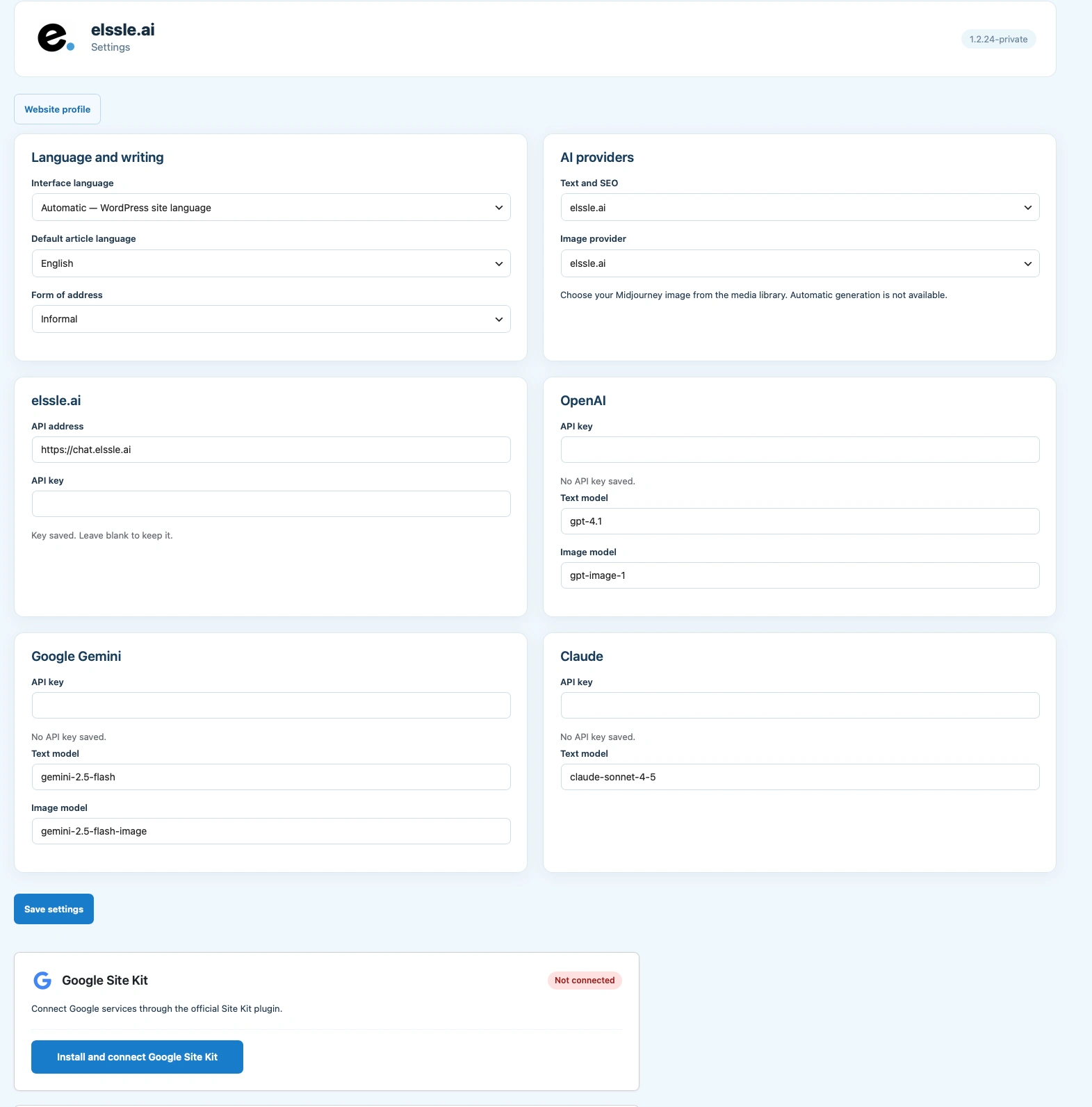
Manage your elssle SEO settings
Interface language for your elssle SEO settings
Select the language you want to see inside the plugin. Automatic follows the WordPress site language.
Default article language
Set the language usually used for generated content. Check the language on an individual request when a post belongs to a different audience.
Form of address
Choose informal or formal writing. Read the resulting introduction in context to make sure it sounds natural for the reader.
Configure providers and save
Text and SEO / Image provider
Choose one provider for writing and SEO, and another for images if required. Midjourney in this screen is for importing an existing image through the Media Library.
API address, API key and models
Use a valid HTTPS address where the field is shown. Enter keys for the providers you have selected and use model names supported by your account. Leave a saved key field blank to keep the existing key. Licensed elssle accounts use their website code for elssle service access.
Save settings / Test saved text provider
Save your choices before testing. The test sends a small text request using the saved provider. If it fails, check the selected provider, key and model before starting a full article.
Website profile / Google Site Kit
Open Website profile to supply business context. Install or activate Site Kit if you want to connect Google’s tools, then authorize your own Google account there.
Your elssle SEO settings determine how the plugin communicates with both you and your audience. By selecting the correct interface and article languages, you ensure that the generated content aligns with your site's regional targets. You can also toggle between formal and informal forms of address to match your brand voice, making your posts feel more personal or professional depending on your needs. These foundational preferences streamline your workflow before you begin optimizing any specific page or post.
Managing your API keys and provider choices within the elssle SEO settings ensures a stable connection for text and image generation. Whether you are integrating specific AI models or connecting your Google Site Kit for better analytics, having the right configurations in place prevents errors during the writing process. Always remember to use the test function after saving your changes to verify that your provider is active and ready to handle your content requests without interruption.