
Sitemap with elssle SEO
Use the elssle sitemap to provide search engines with a list of URLs that should be discoverable. Check the index and each included content type before submitting it.
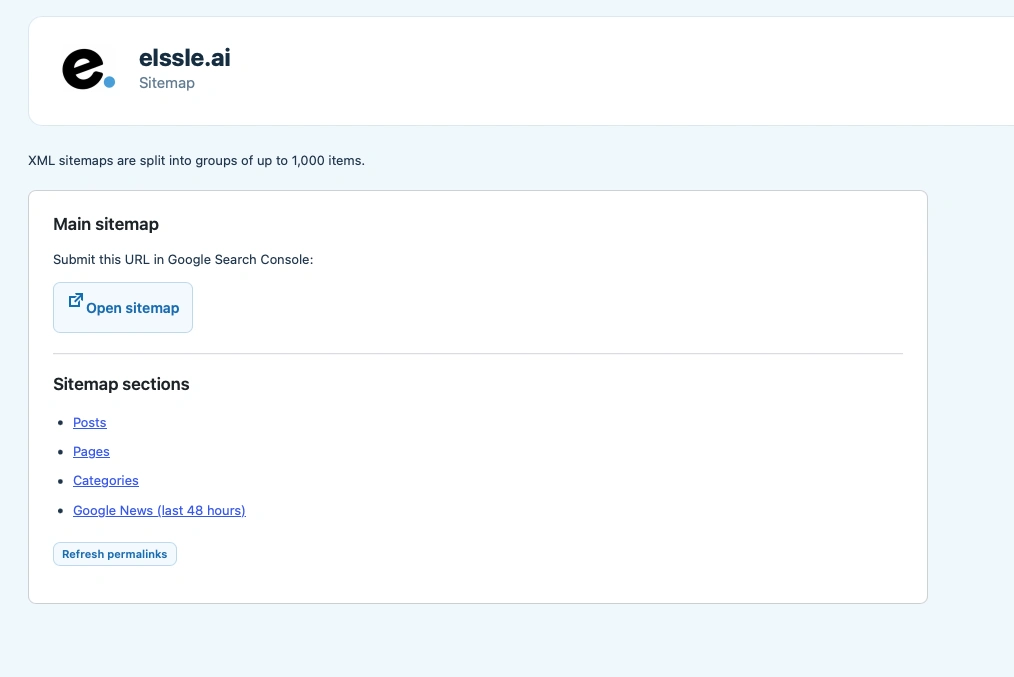
Manage your WordPress XML sitemap
Your WordPress XML sitemap address
Open the XML index shown for your site. Follow its links to the lists for pages, posts and categories. Product entries are relevant only if the store is active.
Open sitemap / Sitemap sections
Use Open sitemap to view the main XML index. The section links open Posts, Pages, Products, Categories or Google News when available. The News section covers the last 48 hours, and large sitemap sections are split into parts of up to 1,000 entries.
Content to include
Check that intended public URLs appear and that private pages, drafts and URLs you have chosen to keep out of search are absent. Review any unexpected content before changing its settings.
Submit and monitor
Search engine submission
Copy the index URL into your search engine webmaster tool. Monitor whether the index and its child files are fetched successfully.
After structural changes
When moving content, open the new URL and verify it in the index. Keep redirects for important old URLs where appropriate, and avoid submitting duplicate sitemap indexes.
Refresh permalinks
Use this control if a sitemap route returns a missing-page error after a site setup or permalink change. Reopen the XML address afterwards to check that the route works.
What the sitemap tells you
An entry helps discovery. Track indexing separately and make sure important pages can also be reached through relevant internal links.
Manage your site visibility by ensuring your WordPress XML sitemap contains only the pages you want the public to find. By reviewing the index and individual content sections, you can quickly spot if drafts or private pages have accidentally slipped through. This process helps you maintain a clean structure, making it easier for search engines to crawl your posts, categories, and products without wasting resources on irrelevant URLs. Regular checks are especially useful when you update your store settings or change your site hierarchy.
Once you verify your content, submit the WordPress XML sitemap URL to your preferred webmaster tools to track how search engines fetch your files. If you experience missing-page errors after updating your permalinks, use the refresh control to restore the correct routes. Remember that while a sitemap aids in the initial discovery of your links, you should still rely on a strong internal linking strategy to ensure your most important pages remain prominent and accessible to both users and bots.