
Articles with elssle SEO
Use elssle SEO Articles to turn a topic into a WordPress draft. Provide a clear brief and check the text, SEO fields and image before deciding how to publish it.
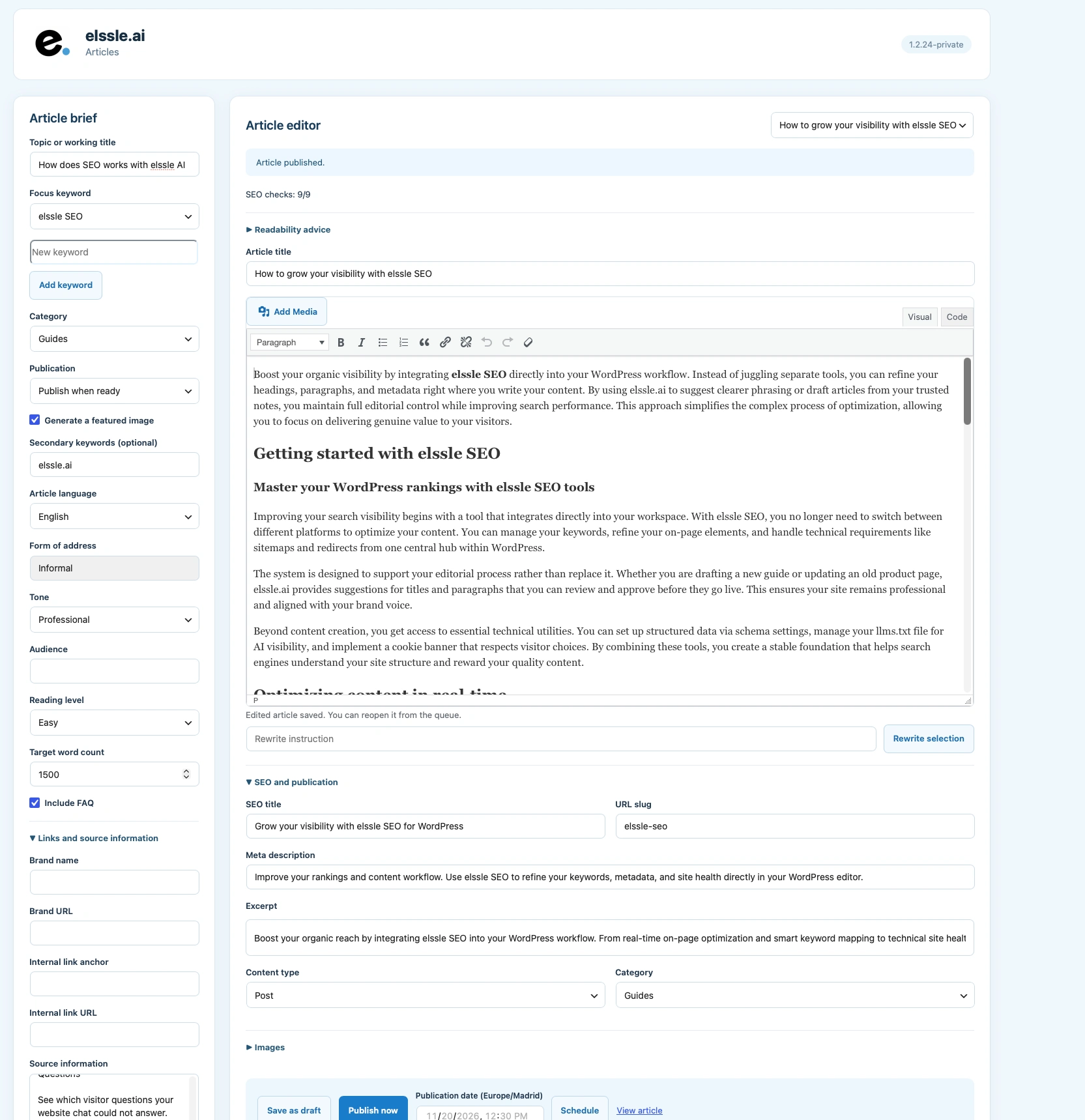
AI article writing for WordPress: Enter the article brief
AI article writing for WordPress
Describe the question or problem the article should answer. Use a focused search phrase such as “WordPress launch checklist” and supply a clear audience or angle.
Source information
Add relevant facts and trusted reference material when the subject requires them. Keep verified prices, product names and instructions consistent with your source pages.
Category and writing choices
Select the appropriate WordPress category and confirm the language. Provide a tone or style guidance where the form offers it.
Generate, edit and publish
Start generation and status
Start creating the draft and check the progress before running the same request again. Open the result when it is ready.
Image prompt and image placement
Specify what the image should show, check its suitability and give it useful alt text. Decide whether it belongs in the article, as the featured image or both.
Draft, publication and scheduling
Review the title, text and links before choosing the final status. Use a future date if scheduling, verify the time zone and open the resulting WordPress entry.
Your workflow becomes much simpler when you use AI article writing for WordPress to handle the initial drafting phase. By providing a specific topic and a targeted focus keyword, you ensure the generated content aligns with your goals from the start. You can maintain high accuracy by uploading your own reference materials and verified product data, which prevents the tool from guessing details. Once you set your desired category and tone, the system builds a structured draft that saves you hours of manual writing and formatting.
Refining your results is just as easy as starting the process. After you run your AI article writing for WordPress request, you can fine-tune the text and manage your SEO fields directly. You have full control over the visual elements, allowing you to create precise image prompts and set appropriate alt text for better accessibility. Whether you want to publish the post immediately or schedule it for a later date, you can manage the final status and time zone settings to keep your content calendar organized.