
Questions with elssle SEO
Use Questions to review visitor questions, add reliable answers and maintain the knowledge used by Website Chat. Work in one language at a time and check the source before approving anything.
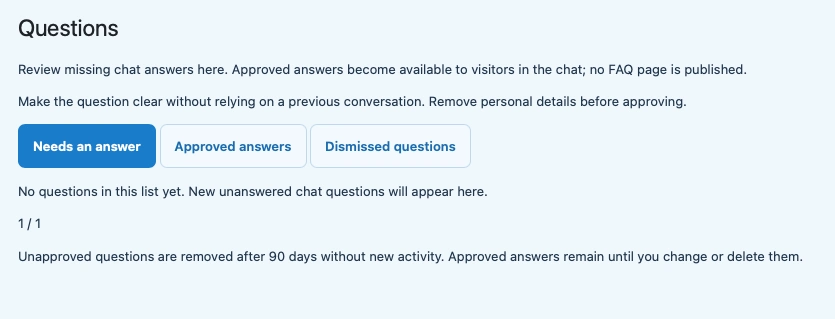
How to manage website chat questions
How to manage website chat questions using language tabs and Needs an answer
Choose the language of the question. Use Needs an answer for pending entries and switch language when a question was asked in another language.
Question, Answer for the chat and Page URL
Write a clear question a visitor might ask and a short answer you can verify. Add an optional public source URL. Use the site-wide checkbox when a page-specific answer should apply everywhere.
Draft answer with AI / Scan website for FAQs
Draft an answer from available public sources or scan to collect FAQ content already present on the site. Edit the result if it omits an exception or gives an outdated detail.
Approve and maintain answers
Approve for chat / Save
Approve a reviewed answer from Needs an answer. The list stays in the same tab after approval. On Approved answers, use Save to edit an answer without moving it back to the review list.
Save as draft / Dismiss question / Delete question
Save as draft for answers that need more work. Dismiss irrelevant entries. Delete a row when you want to remove the entry from the knowledge list.
Add question / Remove duplicate questions
Add a common question and verified answer from the relevant language tab. Use the duplicate control to tidy repeated questions and check which approved version you want visitors to see.
Keep your visitor interactions efficient by using the dedicated interface to manage website chat questions. You can easily filter through pending entries using the language tabs, ensuring that every response is accurate and tailored to the user's specific query. By utilizing the AI drafting tool or scanning your existing FAQs, you save time while maintaining a high standard of reliability. Once you verify the details and add a supporting URL, you can move the entry to the approved list for immediate use in your chat system.
Maintaining a clean knowledge base is simple when you manage website chat questions with the provided editing tools. You can remove duplicates to avoid confusion and dismiss irrelevant queries to keep your list focused. If a response requires further refinement, just save it as a draft until it is ready for approval. This systematic approach allows you to update outdated information quickly and ensure that your visitors always receive the most current and verified answers directly through the chat interface.