
Free WordPress article publishing with elssle
Use the free edition of elssle Publisher to generate and edit an individual WordPress article. It suits an editorial workflow where you write and review one article at a time on your own site.
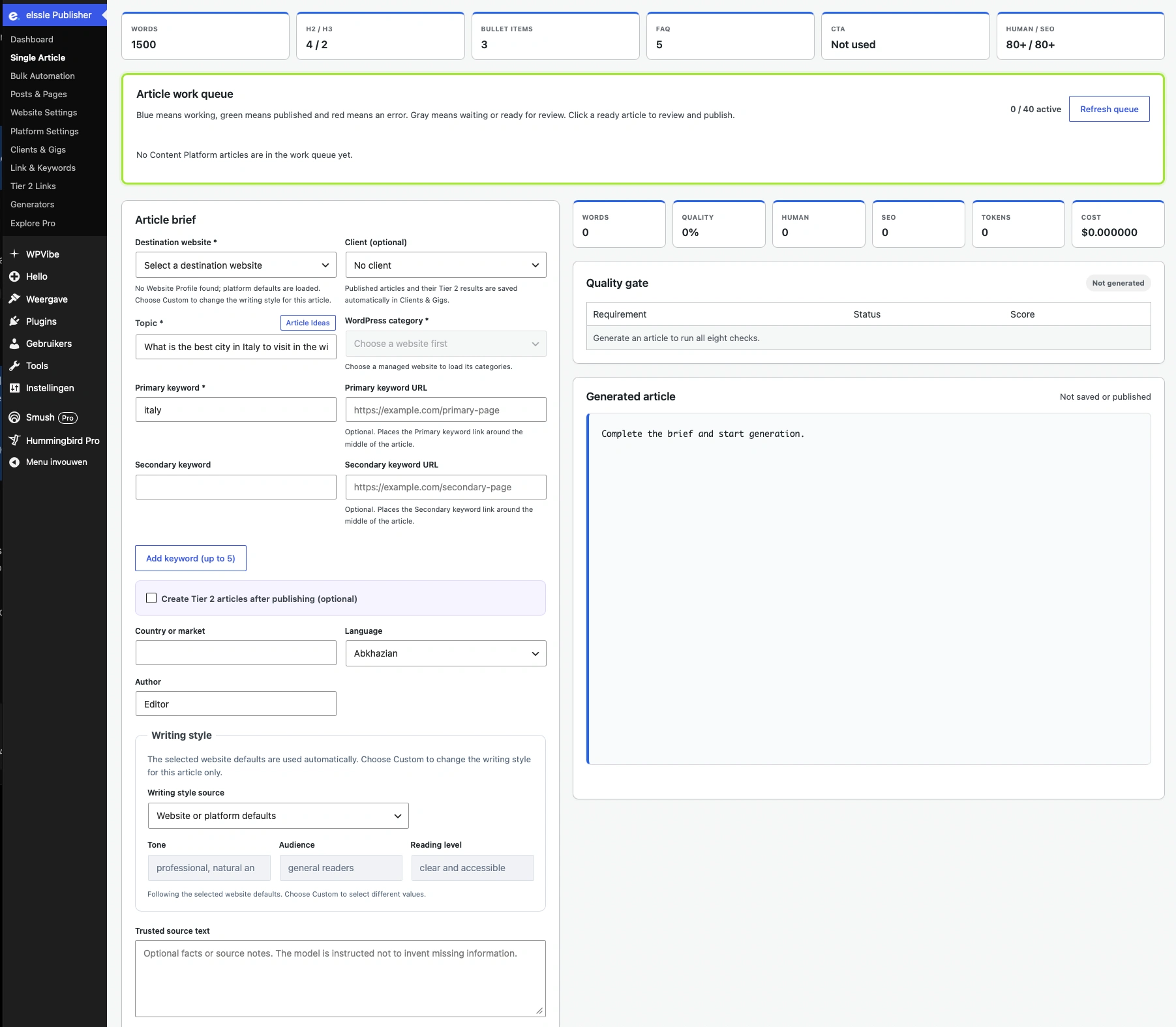
Install the free WordPress article publisher and set up writing
Install and activate your free WordPress article publisher
Find the free plugin in the WordPress plugin directory and activate it. Open elssle Publisher from the admin menu and review the setup guidance for your chosen AI provider.
Provider and API credentials
Enter the supported credentials in AI Settings when needed and run the connection test. Check your provider’s own billing and avoid placing keys in post text or media.
Generate a single article and review it
Topic, keyword and sources
Give the writer a working title, one focus keyword and facts or source material you want it to use. Choose a language and category that match the destination.
Generate and edit
Generate the article, then review its draft in the editor. Adjust wording, correct unsupported details and check headings and links before choosing to publish.
Draft and publication
Keep an unfinished article as a draft. Publish only after reviewing the final preview. Use the paid edition guide to compare workflows for campaigns and multiple destinations.
Setting up your workflow is simple since this free WordPress article publisher integrates directly into your admin menu. Once you activate the plugin from the directory, you just need to connect your preferred AI provider using the API settings. This tool is designed for editors who prefer a focused approach, allowing you to handle one piece of content at a time. By entering your credentials and running a connection test, you ensure that your environment is ready for generating high-quality drafts without leaving your site.
To get the best results from this free WordPress article publisher, provide a clear working title and specific source material. You can define the language and category to ensure the content fits your site's structure perfectly. After the AI generates the draft, take a moment to refine the wording and verify all links in the editor. Since you can save your progress as a draft, you have total control over the final preview before you decide to make the post live for your readers.