
On-page SEO in the WordPress editor
Use elssle to handle your on-page SEO in WordPress inside the editor. Choose a focus phrase, check readability, improve a selected passage and insert an image or content. Review each proposal before saving or publishing.
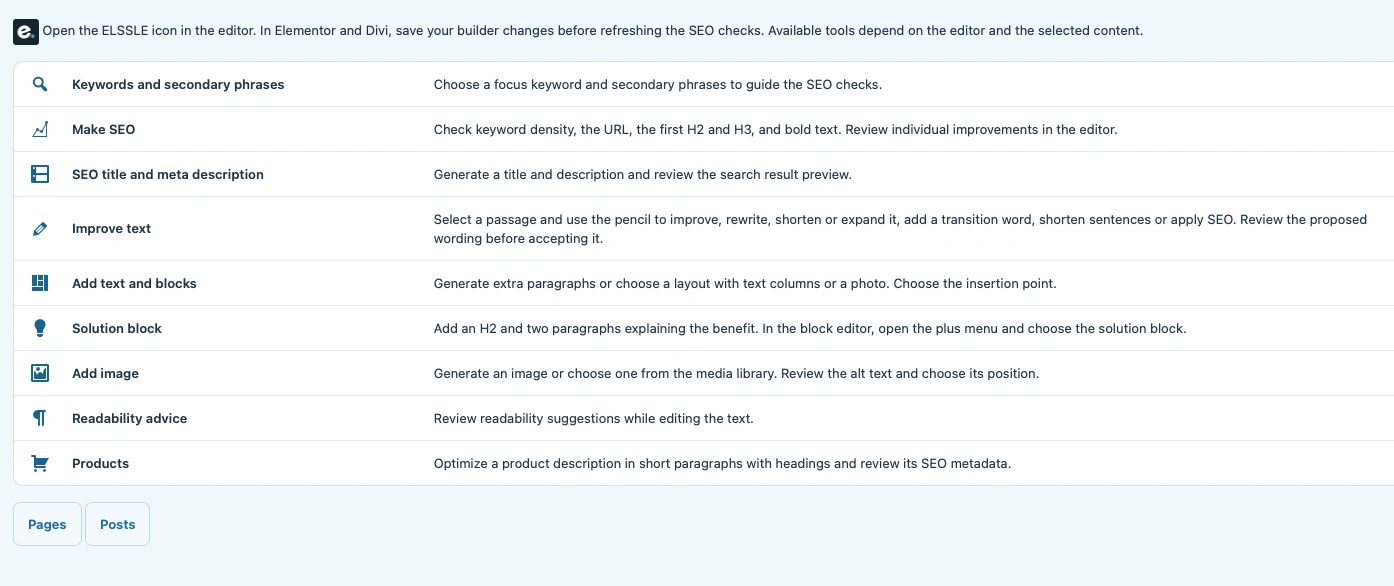
Optimize your on-page SEO in WordPress with keywords and secondary phrases
Master on-page SEO in WordPress with focus keywords and secondary phrases
Use one primary phrase for the page’s topic. Enter related phrases only when they represent questions the page actually answers. For a product, distinguish the exact product from a broad category term.
Make SEO and review checks
SEO checks and repair
Open the sidebar and review the individual checks. Use the blue repair action where available, review the proposed insert or change, and recheck the content after applying it. Save the WordPress page to retain the edits.
SEO title and meta description
SEO title and Meta description
Write a specific title and a brief summary of what the page gives the reader. Review any suggested value before saving it. Google can choose a different search snippet.
Improve text
Improve / Create proposal
Select the text you want to revise. Choose the instruction, such as adding a transition or shortening a passage, and generate a proposal. Read the original and proposal in context, then accept or discard the change.
Add text and blocks
Block type and insertion point
Choose the block that fits the missing content and place the cursor between the blocks where it should appear. Generate and review the proposed text before inserting it.
Solution block and FAQ block
Create Proposal / Start / Accept
Insert the relevant elssle block using the WordPress block inserter. Start the proposal workflow, verify the solutions or questions against the page and accept the text when it is ready.
Add image
Media Library and image generation
Choose an existing image or describe a new one. Review the proposed image and enter descriptive alt text before saving. Treat the featured image and an image inside the article as separate placements.
Readability advice
Readability and final review
Review long sentences, paragraph length and transitions. After editing, read the affected paragraph and recheck its SEO status. Preserve accurate terminology even when a simpler wording is suggested.
Optimize a product description
Product description and metadata
Open the product in WordPress, check its exact name, specifications and customer questions, and review any wording before applying it. Use the metadata fields to summarize the product accurately and verify the published page.