
Keywords with elssle SEO
Handle your list of phrases and connect each primary search term to the page, post, product or category that should answer it. Use WordPress keyword management to spot untargeted topics and avoid relying on a long content dropdown.
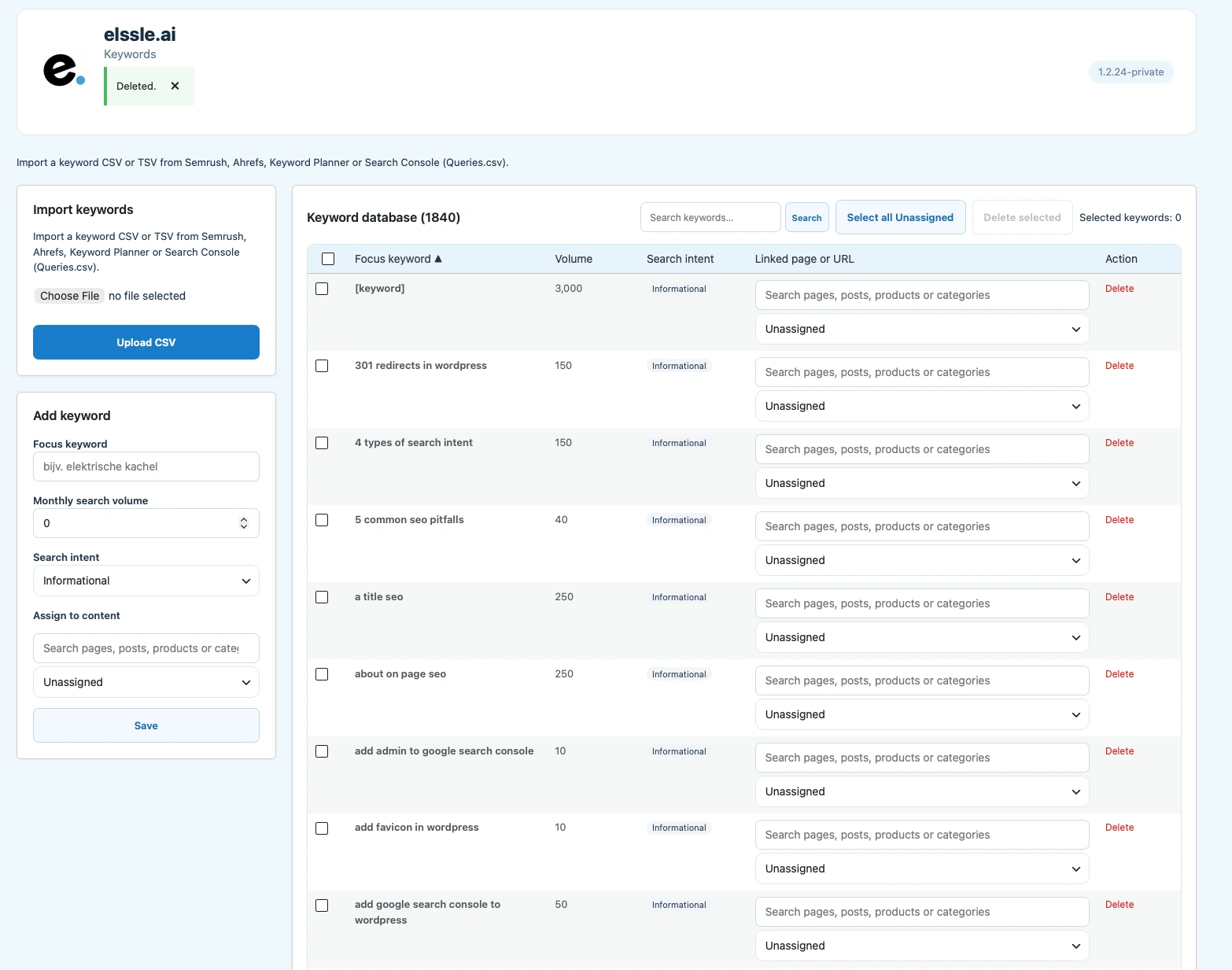
WordPress keyword management
WordPress keyword management: Import and manual entry
Use the import control for a keyword export or add individual phrases manually. Review imported wording before assignment. If volume data is available, use it as one signal alongside relevance.
Keyword choice
Match specific phrases to the page’s purpose. For example, a setup guide and a sales page should use different focus phrases even if both mention the same plugin.
Upload CSV / Import keywords
Choose a CSV or TSV from a supported source, including Search Console Queries.csv. Use Import keywords to load the phrases and search volumes. Check that the column headings are recognized.
Add keyword / Focus keyword
Enter the exact phrase for the new entry. Use Monthly search volume for known volume data and Search intent to describe the expected goal. Choose Informational, Commercial, Transactional or Navigational based on what people are trying to do. Use Save after editing.
Keyword database / Search
Search the list itself to find an existing keyword. Use Edit to review its details, View URL to check an assigned destination and Delete only when an entry is no longer useful. Previous and Next move through the list.
Assign phrases and manage the list
Search pages, posts, products or categories
Type part of the title and select the correct match. Check the content type and destination, especially when a product and a category have similar titles.
Unassign
Removes the connection from the keyword in this list. The WordPress content remains available and can be assigned again.
Unused keywords
Use an unassigned phrase when preparing a new article if it suits the brief. Before writing, check whether a different page already answers that topic.