
Broken links with elssle SEO
Scan your WordPress content for broken links, find the source page and decide whether to fix the address or remove the link. Verify important results directly before changing published content.
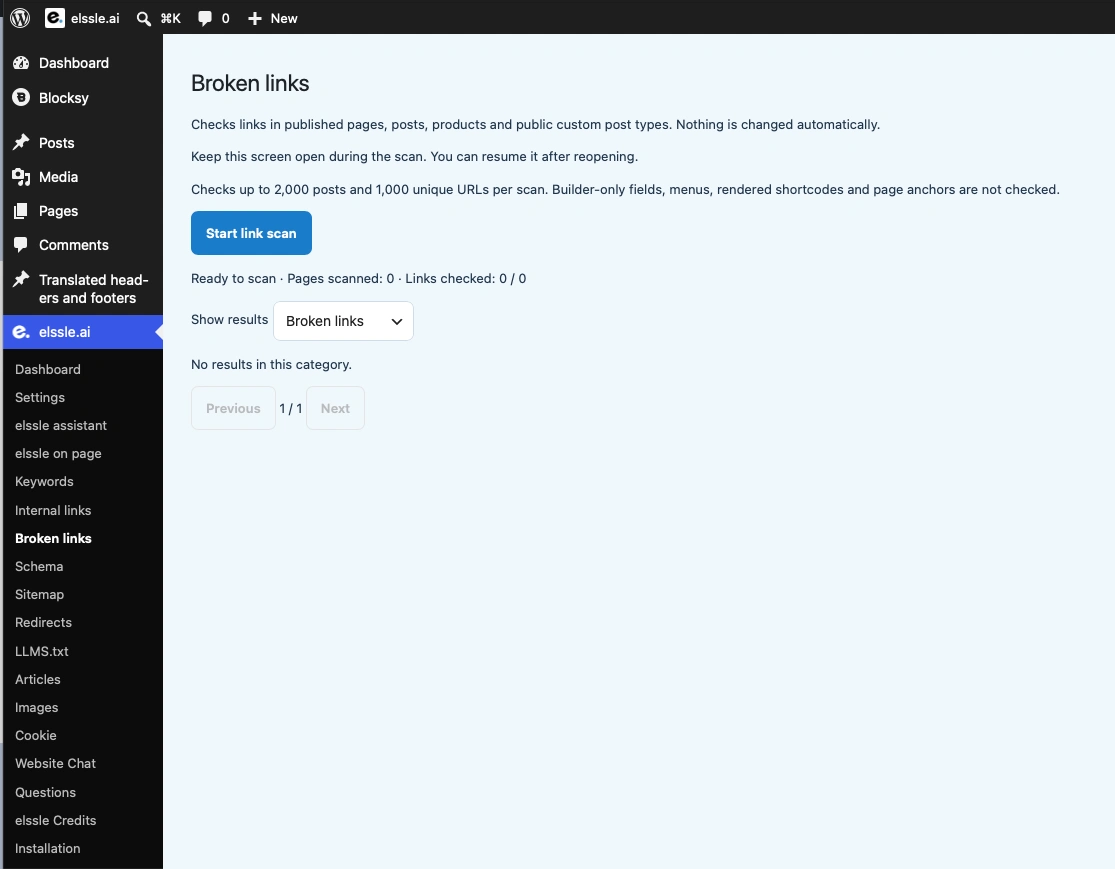
Start and monitor your WordPress broken link checker scan
Use a WordPress broken link checker to start link scan
Starts the site scan from the Broken links screen. Keep the scan page open when running it there, or ask the assistant to run the check in steps if that suits your workflow.
Stop scan / Show results
Stop the current scan when you need to pause. Open the results to see the locations found so far. Use the navigation controls when the report has multiple pages.
Fix the links that need attention
Source page and destination
Open the source first, then follow the reported destination. Check whether an external site is temporarily unavailable or has genuinely moved.
Correct or remove the link
Edit the original page or post. Replace a moved URL with the current direct destination, or remove the link if there is no useful replacement. Save your change.
Rescan
Run another scan after making the changes. Check high-value links such as pricing, contact and product links individually as well.
Managing your site's health becomes much easier when you use a WordPress broken link checker to spot dead ends in your content. Instead of manually clicking every single URL, you can automate the process to identify exactly which source pages contain faulty addresses. Once the scan identifies a problem, you can quickly decide if a destination has permanently moved or if the external site is just experiencing temporary downtime. This proactive approach ensures your visitors always find the information they need without hitting a 404 error page.
Keeping your navigation seamless involves regular maintenance and targeted updates to your most important URLs. By integrating a WordPress broken link checker into your workflow, you can prioritize high-value areas like your pricing and contact pages to prevent loss of conversions. After you replace a moved URL or remove a useless link, a quick rescan confirms that your corrections are working as intended. This cycle of scanning and fixing helps you maintain a professional online presence and improves the overall user experience across your entire website.