
Automatic WordPress blog translation
Automatically translate published WordPress blog posts into the six other supported languages with elssle Language. The translated article reuses the original images and Gutenberg structure, and appears in the matching language’s blog.
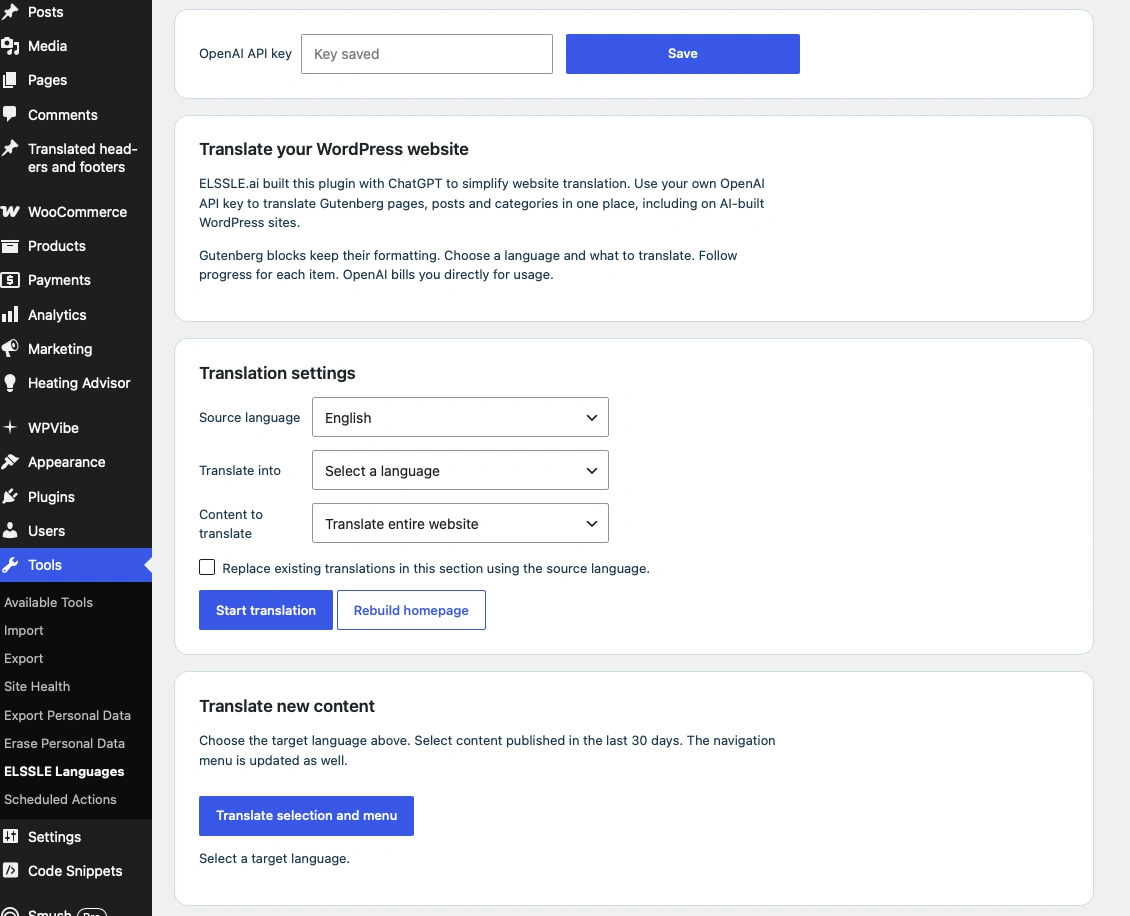
Set your language for automatic WordPress blog translation
Automatic WordPress blog translation with OpenAI API key
Save a working key in elssle Language. Use a key configured for the site where this job will run so its translation requests appear in the expected provider account.
Article language
Choose the language of the source post in its WordPress editor. For example, set Dutch on a Dutch article so English is one of the translation targets.
Automatically translate blog posts / Save
Enable the setting and save. The plugin queues missing translations of eligible published posts and processes them in the background.
Publish and verify the output
Publish a post
Review the original text and images, then publish. Automatic processing starts for published articles. Existing saved translations are preserved.
Language-specific blog
Open the corresponding blog when the translation is ready. Check the translated title and article copy, the featured image in the listing and images within the article.
Check the result
Review brand and product terms and follow key links. If a translation has not appeared, check the plugin’s status message and your OpenAI key or usage.
Manage your multilingual content easily by integrating your OpenAI API key directly into the plugin settings. Once you set the source language in the editor, the system handles the heavy lifting in the background. This approach to automatic WordPress blog translation ensures that your Gutenberg layouts and original images remain intact across all six supported languages, allowing you to maintain a consistent visual identity without manual formatting.
Verify your results by visiting the language-specific blogs after the background processing finishes. Since automatic WordPress blog translation targets published posts, you can quickly review translated titles and product terms to ensure accuracy. If a post doesn't appear, simply check your API usage or the plugin status message to get everything back on track and keep your global audience engaged.